
Service Scheduling Software Built for Field Service Businesses

Manage scheduling, dispatching, and technician coordination from one simple platform with FieldServicePro's service scheduling software. Designed specifically for field service teams, it helps you assign jobs faster, avoid scheduling conflicts, and keep everyone updated in real time.

We care about your data in our privacy policy.

User Ratings
5.0

from 200+ reviews

Service Scheduling Software

How FieldServicePro's Job Scheduling Solution Helps Dispatchers

As a dispatcher, managing daily schedules, assigning technicians, and handling last-minute changes can be challenging. FieldServicePro's service scheduling software helps you stay organized by giving you a clear view of jobs, technician availability, and work priorities, all in one system.

Drag & Drop Scheduling

Drag & Drop Scheduling

Easily organize and adjust schedules with a simple drag-and-drop interface.

Skill-Based Matching

Skill-Based Matching

Assign the right technician to the right job using skill-based matching.

Automated Dispatching

Automated Dispatching

Streamline daily operations with automated scheduling and dispatch tools.

Timely Notification

Timely Notification

Stay updated with real-time notifications and reminders for new jobs, schedule changes, and upcoming appointments.

Simplify Scheduling with Drag-and-Drop Functionality

Organize and adjust schedules by simply dragging and dropping tasks into preferred time slots. With this feature, FieldServicePro's service scheduling software makes managing field operations more flexible, allowing dispatchers to respond quickly to priority changes and unexpected schedule adjustments.
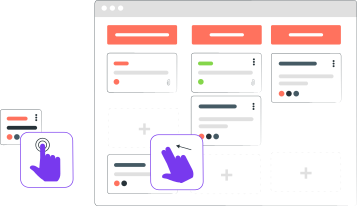
With Drag-and-Drop Scheduling, dispatchers can view technician availability in real time. FieldServicePro helps quickly identify open time slots, improving workforce utilization and reducing downtime between jobs.

Field operations often change throughout the day. FieldServicePro provides real-time updates on technician availability and job progress, helping dispatchers assign tasks faster and adjust schedules without delays.

Whether planning daily jobs or preparing schedules for the week or month, Drag-and-Drop Scheduling allows easy switching between different calendar views. Dispatchers get a clear overview of workloads and can plan ahead with confidence.

Avoid overlapping appointments and missed commitments with visual scheduling insights. Dispatchers can easily spot conflicts and rearrange assignments to maintain smooth service delivery and consistent customer experience.
Simplify Scheduling with Drag-and-Drop Functionality

Boost Efficiency with Skill-Based Matching

By matching tasks with technicians based on their skills and expertise, FieldServicePro makes certain that the right person is assigned to the right job. This improves operational efficiency, shortens resolution times, and enhances overall service quality within your field service scheduling software workflow.
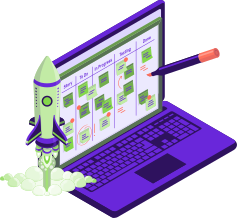
Skill-Based Matching aligns job requirements with technician expertise, helping businesses complete tasks correctly the first time while reducing delays and repeat visits.

FieldServicePro helps maximize technician productivity by assigning work that matches individual capabilities. This keeps teams engaged while improving job outcomes and service consistency.

By considering technician skills alongside workload capacity, dispatchers can distribute jobs more evenly. This prevents team overload while making sure all available resources are used effectively.
Boost Efficiency with Skill-Based Matching

Get Dispatching Done Right with FieldServicePro!

Reduce scheduling headaches, experience seamless dispatching and manage your field service business well with FieldServicePro. Get started today!

Automated Scheduling and Dispatching

FieldServicePro automatically assigns tasks to available technicians based on predefined factors such as proximity, skills, and availability. This automation within the service scheduling system reduces manual coordination, minimizes errors, and enables faster response times.
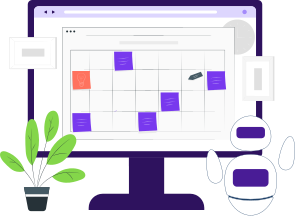
Define scheduling rules based on your business workflows so jobs are automatically aligned with technician skills and availability. This reduces manual decision-making and improves scheduling accuracy.

Automation helps eliminate mistakes caused by manual planning, miscommunication, or oversight. Accurate task assignments lead to smoother operations and better customer experiences.

As your business grows or demand fluctuates, FieldServicePro adapts scheduling automatically. Resources are allocated efficiently, allowing businesses to scale operations without increasing administrative workload.
Automated Scheduling and Dispatching

Stay On Schedule with Notifications and Reminders

Dispatchers can configure notifications for job assignments, updates, and upcoming deadlines for timely communication. Technicians receive instant alerts about new jobs or schedule changes, while customers stay informed through automated updates powered by FieldServicePro's service scheduling software.
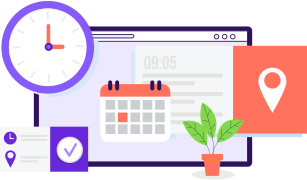
Track job progress easily and share updates when needed. Real-time visibility helps dispatchers maintain control while keeping customers informed throughout service delivery.

Automated reminders help technicians stay prepared for upcoming appointments and tasks, reducing missed visits and improving daily productivity.

Keep customers informed with timely notifications about appointments and service progress. Clear communication improves trust and enhances the overall service experience.
Stay On Schedule with Notifications and Reminders

Access 30 Plus Apps in FieldServicePro's Business Suite, No Extra Charges!

Get access to 30 Plus FREE apps to manage everything from marketing campaigns to communication and more. Streamline your business with FieldServicePro's dynamic solutions, boosting efficiency and saving big.

Frequently Asked Questions?

Service Scheduling Software is a digital platform designed to streamline your entire field service workflow. It allows you to effectively manage Jobs, organize specific Service Tasks, and dispatch technicians via Service Visits. By automating these processes, FieldServicePro reduces administrative time, minimizes scheduling errors, and ensures your team is always at the right place at the right time.

Our interface makes dispatching effortless. You can create a Service Visit by selecting specific Service Tasks from a main Job. Once the visit is created, simply drag and drop it onto a technician's timeline. The system supports your decision-making by displaying vital real-time data on the screen, such as the nearest technician, the best suited technician based on the skill, and the most efficient route.

Yes. To save your dispatchers time, FieldServicePro features intelligent automation. The system can automatically assign a Service Visit to a technician based on pre-defined criteria, such as geographic proximity, availability, or the specific skills required to complete the scheduled Service Tasks.

Yes, FieldServicePro offers a comprehensive mobile app for your field staff. It serves as their daily hub, giving them instant access to their scheduled Service Visits, the details of the Job and tasks at hand, customer contact info, and navigation tools.

The mobile app provides real-time visibility into your field operations. Office staff can track exactly when a technician has reached the location, started working on the visit, and finished the work. This granular tracking ensures accurate timekeeping for the Job and improves overall accountability.

Absolutely. You can attach digital forms directly to the Job or Service Visit. Technicians can be required to fill out these forms—such as safety checklists or inspection reports—before starting or after finishing the tasks. This ensures consistent quality standards are met for every visit.

Yes. Clear communication is automated within FieldServicePro. Technicians receive instant alerts when a new Service Visit is assigned or updated. Simultaneously, office staff are notified of status changes, and clients receive automated reminders and updates regarding their scheduled service, significantly reducing no-show rates.

Yes, our Service Scheduling Software includes route optimization features. When you schedule visits, the system analyzes locations to suggest the most efficient travel route. This ensures technicians spend less time driving and more time executing Service Tasks, saving you money on fuel and vehicle maintenance.

FieldServicePro is designed to grow with your business. Whether you are managing a handful of Jobs a week or thousands of Service Visits a month, our cloud-based infrastructure scales seamlessly. You can add more users and technicians without sacrificing speed or performance.

You can start using FieldServicePro immediately. As a cloud-based Service Scheduling Software, there is no complex hardware installation required. You can simply import your Job and customer data, invite your team, and begin scheduling and dispatching Service Visits right away. The intuitive interface ensures your team can adopt the new workflow with minimal training.

Yes, the system maintains a secure, searchable history of all completed Jobs and Service Visits. Before attending a site, a technician can review past service history to understand previous issues. This data is also easily accessible to office staff for billing, warranty checks, and customer service inquiries.

FieldServicePro is versatile and built for any industry that relies on Job management and mobile dispatching. Whether you are in HVAC, plumbing, electrical, cleaning, or general maintenance, our Service Scheduling Software adapts to your workflow, ensuring you can manage Service Tasks and visits efficiently.
Mascot

Give Your Business a Fresh Start with FieldServicePro!

Curious to know how FieldServicePro can transform your business and its operations? Request a free demo today and witness the revolution firsthand!


Schedule Demo